Cluster initialization with kubeadm, Calico networking, worker node join, and verification.
Originally written for Kubernetes 1.24 and Calico 3.23. The workflow is the same, but version numbers and URLs have been updated. Check the kubeadm docs and Calico docs for the latest.
This continues from Part 1. All prerequisite steps should already be complete on every node.
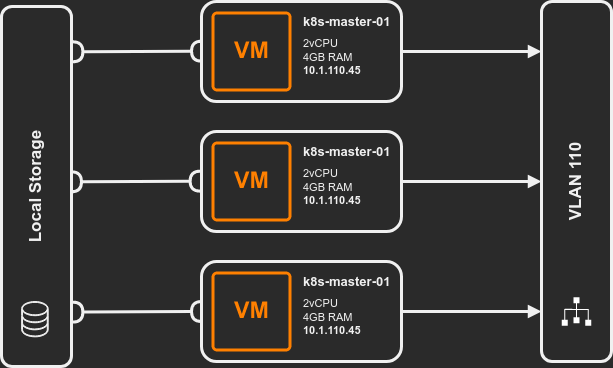
Controller Node
Install Kubernetes Components
sudo apt-get update && sudo apt-get install -y \
    kubelet \
    kubeadm \
    kubectl
Pin the versions to prevent automatic upgrades:
sudo apt-mark hold kubelet kubeadm kubectl
Pinning matters because Kubernetes has strict version skew policies. An unplanned kubelet
upgrade can break the cluster.
“Version skew is a silent killer. Control-plane and kubelet disagree? Good luck debugging that.” - kubeadm veterans
Initialize the Cluster
“Every cluster starts with a single init command. Every production incident starts with skipping the validation steps.” - Operations Proverb
“Punch it.” - Every space captain ever. Prep done? kubeadm init is your warp jump.
sudo kubeadm init --pod-network-cidr "192.168.0.0/16"
The --pod-network-cidr defines the internal network for pod communication. 192.168.0.0/16
is the default expected by Calico.
On success, kubeadm outputs a join command. Save it - it’s needed for worker nodes.
Pipe the entire kubeadm init output to a file: sudo kubeadm init --pod-network-cidr "192.168.0.0/16" | tee kubeadm-init.log. I didn’t do this once. Scrolled up to copy the join token. Terminal buffer had truncated it. The token was gone. Had to generate a new one with kubeadm token create --print-join-command. Saved five seconds. Lost ten minutes. The output contains the join command, certificate
hashes, and troubleshooting info you’ll want later.
The join token expires after 24 hours. Generate a new one anytime with:
sudo kubeadm token create --print-join-command
What kubeadm init Does
| Step | Purpose |
|---|---|
| Preflight checks | Validates kernel, swap, user, existing images |
| Certificate generation | Creates all PKI for cluster communication |
| Kubeconfig generation | Creates configs for controller-manager, scheduler, admin |
| Static pod manifests | Generates pod specs for API server, controller-manager, scheduler |
| TLS bootstrapping | Sets up token-based node joining |
See kubeadm implementation details for the full breakdown.
Post-Init Configuration
Copy the admin kubeconfig to your user account:
mkdir -p $HOME/.kube
sudo cp -i /etc/kubernetes/admin.conf $HOME/.kube/config
sudo chown $(id -u):$(id -g) $HOME/.kube/config
Verify the control plane node is visible (it will show NotReady until networking is installed):
kubectl get nodes -o wide
Install Calico
Calico provides pod networking and network policy enforcement.
Install the Tigera operator and custom resources:
kubectl create -f https://raw.githubusercontent.com/projectcalico/calico/v3.29.1/manifests/tigera-operator.yaml
kubectl create -f https://raw.githubusercontent.com/projectcalico/calico/v3.29.1/manifests/custom-resources.yaml
Verify the operator deployed:
kubectl get deployment -n tigera-operator -o wide
Watch Calico pods come up:
watch kubectl get pods -n calico-system
Install calicoctl
calicoctl provides Calico-specific admin commands. Install it as a kubectl plugin:
curl -L https://github.com/projectcalico/calico/releases/download/v3.29.1/calicoctl-linux-amd64 -o kubectl-calico
chmod +x kubectl-calico
sudo mv kubectl-calico /usr/bin
Verify:
kubectl calico version
Enable kubectl Completion
sudo apt-get install -y bash-completion
kubectl completion bash | sudo tee /etc/bash_completion.d/kubectl > /dev/null
Re-login for tab completion to take effect.
Worker Nodes
Install Components
Workers only need kubelet and kubeadm (no kubectl):
Pin versions on worker nodes too: sudo apt-mark hold kubelet kubeadm. The kubelet version
must be within one minor version of the API server. An automatic upgrade can put workers out
of skew and cause them to lose contact with the control plane.
sudo apt-get update && sudo apt-get install -y \
    kubelet \
    kubeadm
Join the Cluster
Use the join command from kubeadm init output:
sudo kubeadm join <control-plane-ip>:6443 --token <your-token> --discovery-token-ca-cert-hash sha256:<your-cert-hash>
If you lost the join command or the token expired, run this on the controller:
sudo kubeadm token create --print-join-command
Verify
From the controller node:
kubectl get nodes -o wide

NAME            STATUS   ROLES           AGE     VERSION   INTERNAL-IP   EXTERNAL-IP   OS-IMAGE             KERNEL-VERSION      CONTAINER-RUNTIME
k8s-master      Ready    control-plane   4h13m   v1.24.0   10.1.110.45   <none>        Ubuntu 20.04.4 LTS   5.4.0-110-generic   containerd://1.6.4
k8s-worker-01   Ready    <none>          2m33s   v1.24.0   10.1.110.46   <none>        Ubuntu 20.04.4 LTS   5.4.0-110-generic   containerd://1.6.4
All nodes should show Ready. If a node shows NotReady, check kubectl describe node <name>
for the Conditions and Events sections - they usually point directly at the issue. Common checks:
- Calico pods running on that node (
kubectl get pods -n calico-system -o wide) - kubelet status (
sudo systemctl status kubeleton the node) - Container runtime (
sudo systemctl status containerd)
Label your worker nodes with a role for cleaner kubectl get nodes output:
kubectl label node k8s-worker-01 node-role.kubernetes.io/worker=""
Without this, workers show <none> in the ROLES column. You can also use custom labels
for scheduling decisions later (e.g., node-type=gpu for GPU workloads).
Common Issues
| Symptom | Cause | Fix |
|---|---|---|
NotReady after join |
Calico pods not running on node | Wait, check kubectl get pods -n calico-system |
kubeadm join fails with token error |
Token expired (24h) | Regenerate: sudo kubeadm token create --print-join-command |
| kubelet fails to start | Cgroup driver mismatch | Verify SystemdCgroup = true in containerd config |
Pods stuck in Pending |
No worker nodes or resource constraints | Check kubectl describe pod for scheduling errors |
What’s Next
The cluster is running. From here: deploy a workload, set up an ingress controller, or explore Calico network policies to control pod-to-pod traffic. For a more automated approach to cluster lifecycle, see deploying with Talos and Terraform.