Docker installation on Ubuntu via official repository.
I installed Docker once by copy-pasting commands from three different tutorials. Each used a different keyring path. Each added a different repo URL. My apt update started failing with “duplicate sources” and GPG key mismatches. Took 20 minutes to untangle. The official method below is one path. One key. No drama.
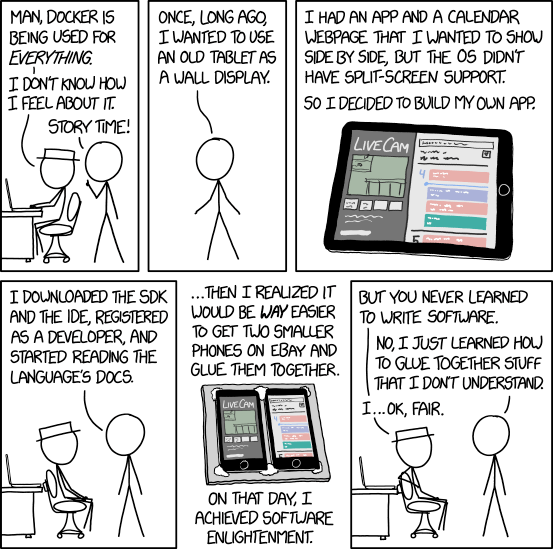 xkcd 1988: Containers - CC BY-NC 2.5
“Inconceivable!” - Vizzini, The Princess Bride. A 50MB image running a full stack? Containers make the inconceivable routine.
Install
# Prerequisites
sudo apt-get update
sudo apt-get install -y ca-certificates curl gnupg

# Add Docker's GPG key
sudo install -m 0755 -d /etc/apt/keyrings
curl -fsSL https://download.docker.com/linux/ubuntu/gpg | sudo gpg --dearmor -o /etc/apt/keyrings/docker.gpg
sudo chmod a+r /etc/apt/keyrings/docker.gpg

# Add repository
echo \
  "deb [arch=$(dpkg --print-architecture) signed-by=/etc/apt/keyrings/docker.gpg] https://download.docker.com/linux/ubuntu \
  $(. /etc/os-release && echo "$VERSION_CODENAME") stable" | \
  sudo tee /etc/apt/sources.list.d/docker.list > /dev/null

# Install Docker
sudo apt-get update
sudo apt-get install -y docker-ce docker-ce-cli containerd.io docker-buildx-plugin docker-compose-plugin
Non-root access
sudo usermod -aG docker ${USER}
su - ${USER}
# Or: newgrp docker
Warning: This grants effective root access.
“Adding a user to the docker group is equivalent to giving them root. Containers are isolation, not security boundaries.” - Container security 101
Verify
docker run hello-world
docker ps -a
Log rotation
Create /etc/docker/daemon.json:
{
  "log-driver": "json-file",
  "log-opts": {
    "max-size": "10m",
    "max-file": "3"
  }
}
sudo systemctl restart docker
Related
- Docker Images Basics - Pull, run, mount volumes, serve a site
- Docker Image Layering - How layers work, building custom images